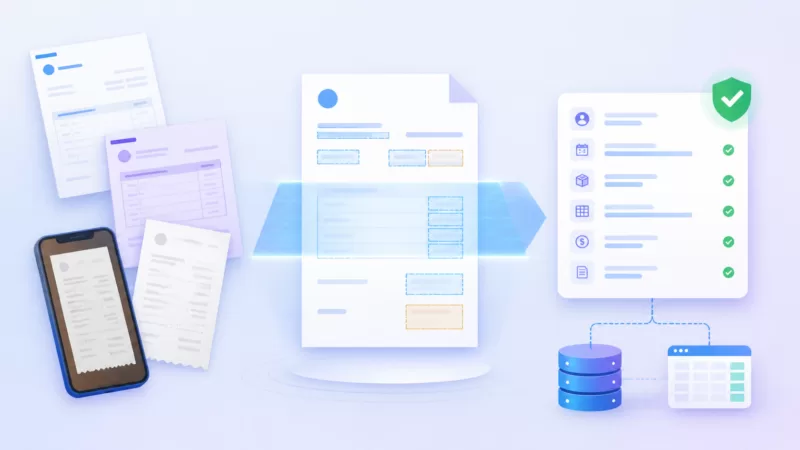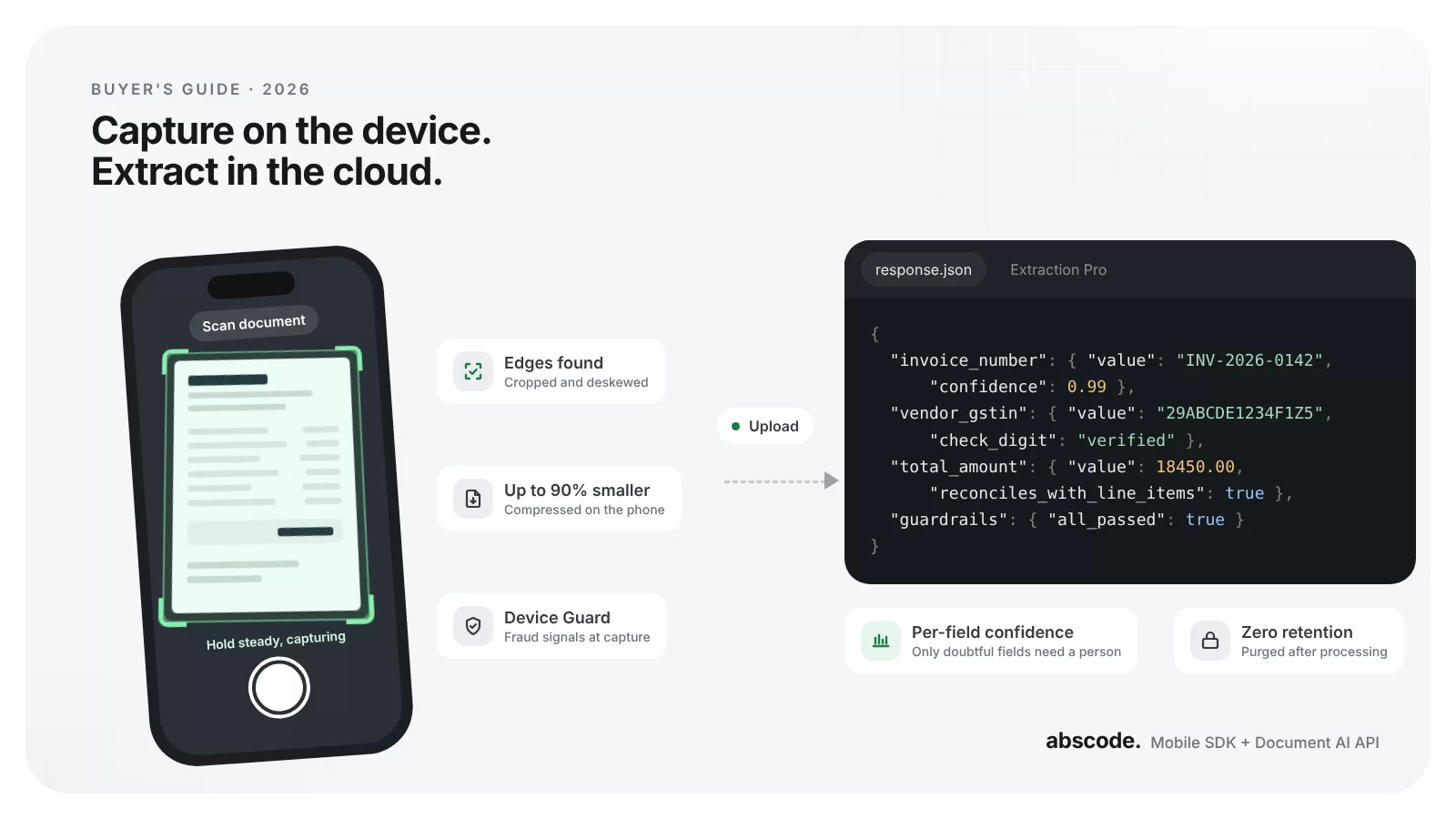
Most apps that handle documents need two things: a scanning SDK that captures a clean page on the customer’s phone, and a document AI API that turns that page into data your system can use. They are usually picked by different people, months apart. They behave like one system, so they should be chosen together.
In short
- The scanning SDK decides how good, how small and how trustworthy each file is. The document AI API decides how accurately it becomes data. Weak capture shows up later as weak extraction.
- For a scanning SDK, test capture on low-end phones, compare file sizes at readable quality, and check for scan caps and per-platform fees.
- For a document AI API, measure accuracy field by field on 50 of your own documents, and prefer flat per-page pricing with per-field confidence scores.
- Run the cost maths at two and five times today’s volume before you sign, and get a working trial without a sales call.
Why choose them together
Think about what happens to a single loan application. A borrower photographs a bank statement on a three-year-old Android phone in a dim room. If the scan is skewed and blurred, the extraction API reads the wrong account number, a person has to fix it, and the 4 MB photo sits in your storage for years.
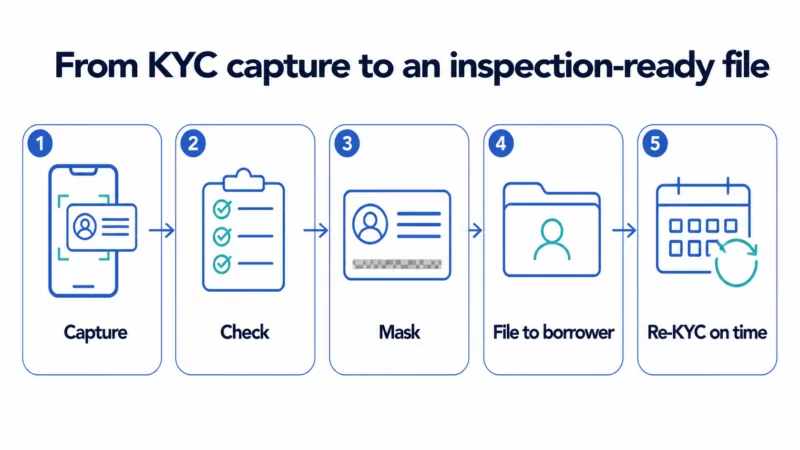
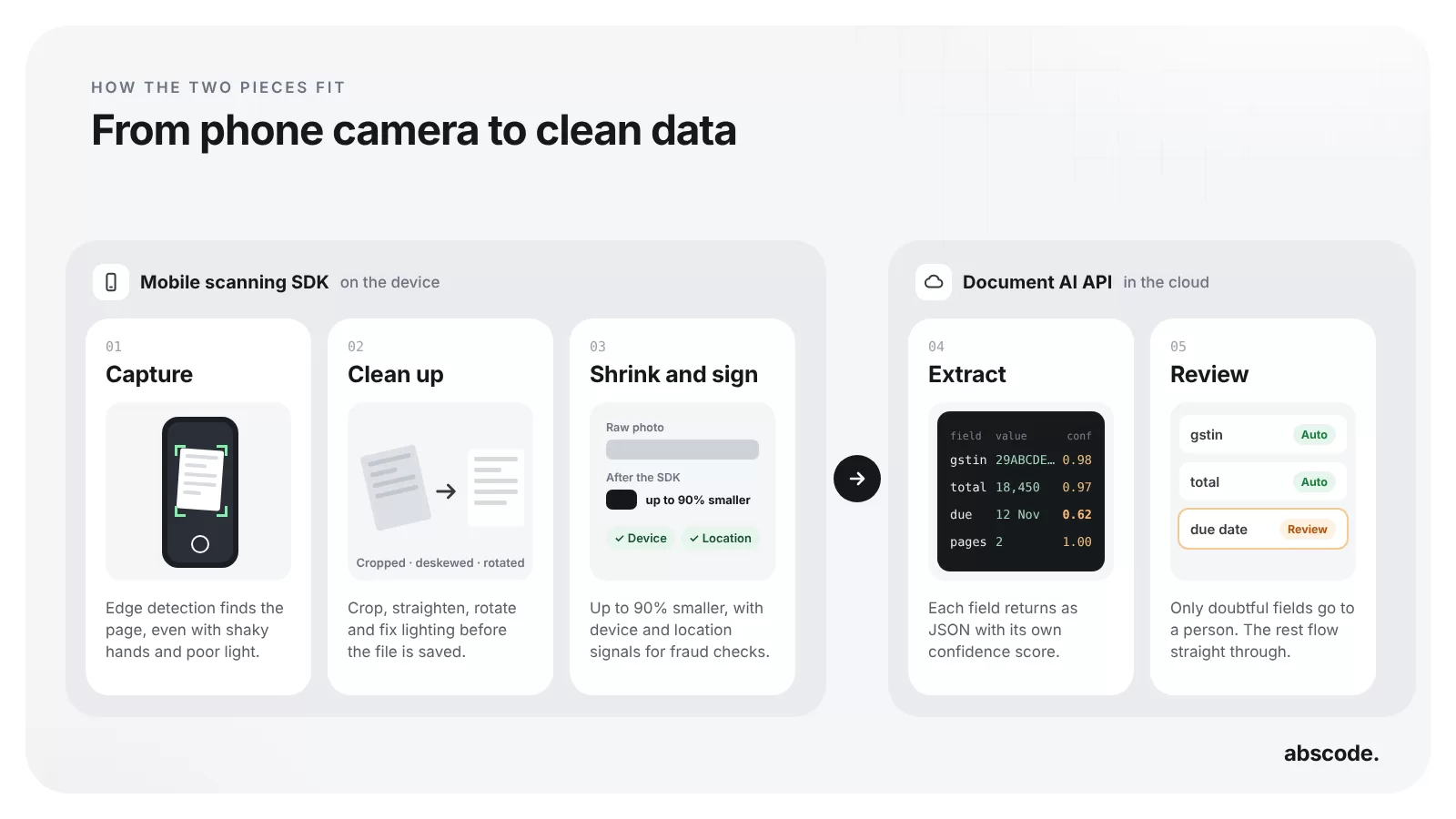
Now run the same moment through a better pipeline. The SDK finds the page edges, straightens it, fixes the light and compresses it on the phone. The API reads it with high confidence, and only the one doubtful field reaches a reviewer. Same customer, same document, a very different cost per file.
Both choices are also sticky. Once a scanning SDK ships inside your app and an API is wired into your KYC, accounts payable or claims flow, switching means new code, new testing and fresh compliance checks. Teams typically live with their first choice for a year and a half to three years, so it pays to evaluate properly once.
Choosing a mobile scanning SDK: six things that matter
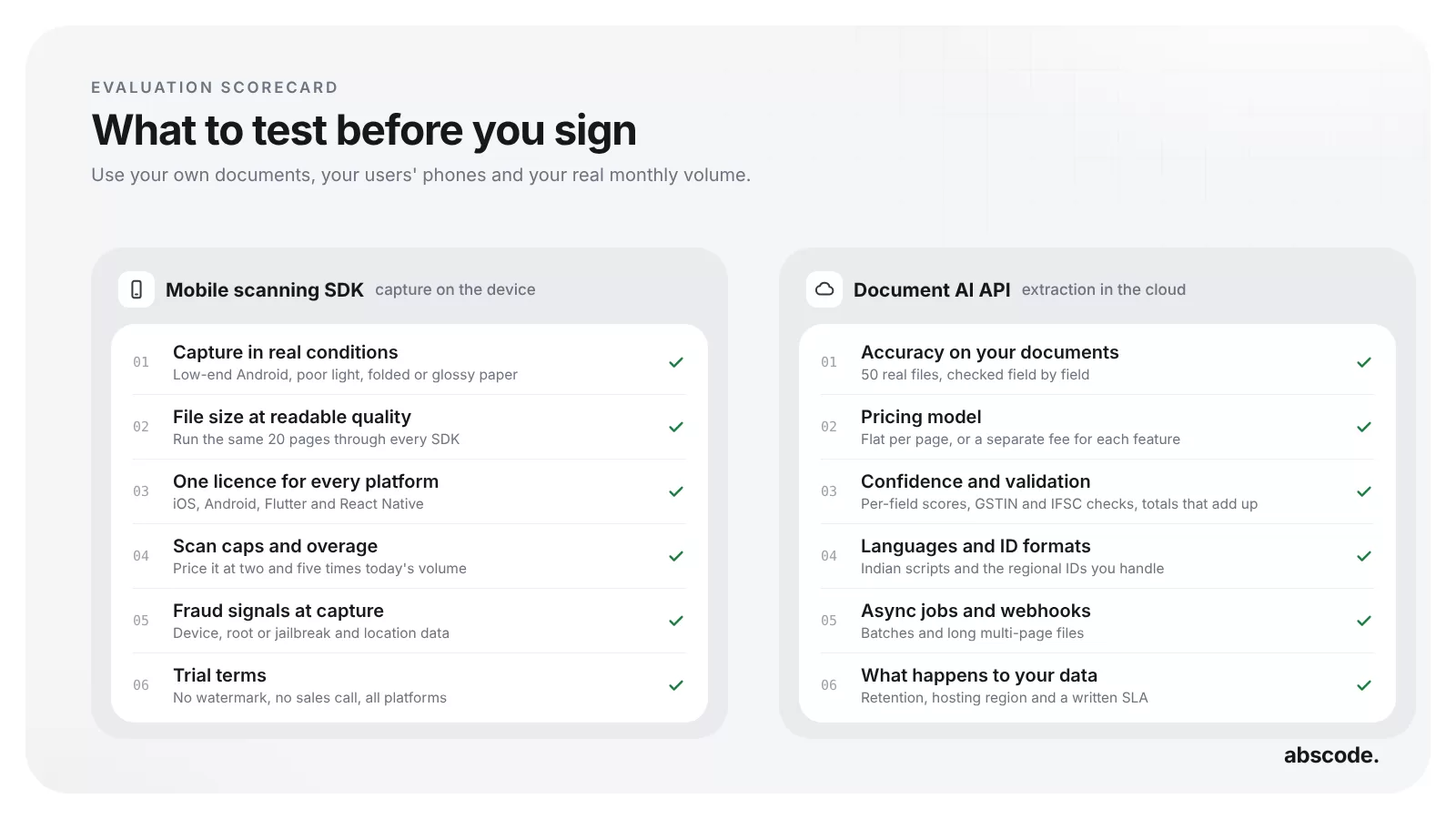
- Capture quality in real conditions. Edge detection, perspective correction, auto-rotation and control over light, focus and blur. Test with shaky hands, poor light, glossy paper and folded documents on the cheapest phone your customers use, not on the vendor’s demo set.
- File size at readable quality. Run the same pages through each SDK and compare file sizes where the text is equally readable. Differences of five to ten times are common, and this one number drives your storage, backup and bandwidth bill for years.
- The licence model. Per-scan tiers, per-app caps, per-developer seats or a flat annual fee. Each one grows differently with volume, so map your projected numbers against every option.
- Platform coverage. If you ship on iOS and Android, or build with Flutter or React Native, find out whether that is one licence or one per platform. The difference can double the price.
- Output control. Configurable DPI per use case, layout-preserving output, and formats such as PDF, multi-page TIFF and JPEG. Archival and regulatory workflows often need specific settings.
- Fraud and evidence signals. For KYC, claims and field verification, the SDK should record device details, root or jailbreak status and location at the moment of capture, and know whether a page came from the camera or the gallery. Adding this on the server after upload is too late.
Our full buyer’s guide to mobile scanning SDKs goes deeper into each of these.
Choosing a document AI API: six things that matter
- Accuracy on your documents. Vendor accuracy figures come from their own test sets. Pull 50 representative documents, including your worst scans, edge cases and regional-language forms, and score every field.
- The pricing model. Some APIs charge a flat rate per page. Others charge per feature, with text, forms, tables and queries billed as separate lines. Per-feature pricing looks cheap on the rate card and grows quickly on the invoice.
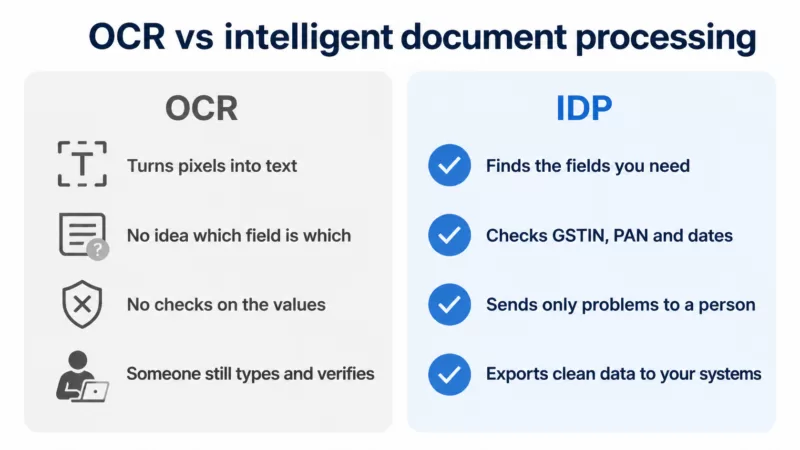
- Confidence, validation and guardrails. Per-field confidence scores let you send only doubtful fields to a person. Format checks for GSTIN, IFSC or PAN, and cross-checks such as line items adding up to the invoice total, cut manual review further.
- Language and regional coverage. English is largely solved. Hindi, Tamil, Telugu, Bengali and other scripts vary a lot between vendors, and regional IDs need trained templates rather than raw OCR plus your own parsing.
- Async jobs and webhooks. Multi-page files and batches need an asynchronous job pattern with signed webhook callbacks and a sensible retry policy. A synchronous-only API will not scale with you.
- A real self-serve trial. Can a developer sign up, get a key and make a real call within minutes? If the first step needs a sales call and an NDA, expect the same friction at every step after it.
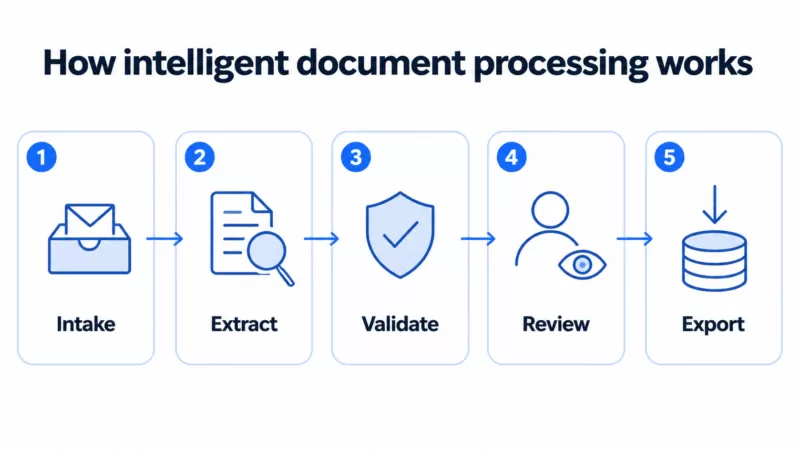
The document AI API buyer’s guide covers these criteria in more detail. If you are still deciding between OCR and full extraction, our guide to intelligent document processing explains the difference.
The four kinds of vendor you will meet
Both markets split into the same four groups. Knowing which one a vendor belongs to tells you a lot about price, speed and support before the first call.
| Vendor type | Scanning SDK | Document AI API | Best for |
|---|---|---|---|
| Enterprise suites | Capture bundled into large IDP or RPA platforms, sold through field sales | Full IDP platforms with six-figure contracts and months of rollout | Large enterprises with procurement teams and on-premise needs |
| Specialists and hyperscalers | Pure-play SDKs, strong on capture, often priced per scan or per app | Cloud OCR and form APIs, English-first, priced per feature | Stable, predictable volumes, or teams already deep in one cloud |
| Developer-first platforms | Self-serve, transparent annual licence, no scan caps | Self-serve, flat per-page rates, regional language coverage | Startups, fintech, lending, SaaS and system integrators |
| Do it yourself | Open-source or ML kit capture, no compression or fraud signals | General LLM and vision models prompted into extraction | Prototypes and internal tools |
A general-purpose multimodal model can read almost anything in a demo. In production, the trouble is consistency: the same document can come back slightly differently on two runs, and long files get expensive. It is a good tool for edge cases and exploration, and a risky foundation for a regulated workflow.
Run the numbers before you sign
Take an app that captures 1 lakh pages a month. The figures below are rough, but the shape of the maths is what matters.
- Storage. A raw phone photo of a page is often 2 MB or more. That is around 200 GB of new storage every month, close to 2.4 TB a year before backups. If the SDK compresses pages by 90% at the same readability, the same year is closer to 240 GB.
- Scanning licence. With per-scan pricing, the bill rises every month you grow. With a flat annual licence and no scan cap, the last page of the year costs nothing extra.
- Extraction. At a flat ₹0.90 a page, 1 lakh pages is ₹90,000 a month. Committed plans lower the rate. With per-feature pricing, add a line for every feature you switch on, then compare.
- Review time. Count how many fields a person still has to touch. Per-field confidence and validation usually save more than any discount on the per-page rate.
Repeat the exercise at two and five times today’s volume. Pricing that looks fine now often breaks at the volume you are planning for.
A two-week evaluation plan
- Days 1 and 2: build a test set. Collect 50 real documents with names and numbers masked: good scans, bad scans, regional languages and the document types that cause trouble today.
- Days 3 to 5: test capture. Run each scanning SDK on at least three phones, including a low-end Android. Note first-try success, file size and how readable the output is.
- Days 6 to 9: test extraction. Send the SDK output to each document AI API. Score every field, and note which wrong answers came with low confidence and which came with high confidence.
- Day 10: run the cost maths. Use your real volume at today’s level, then at two and five times, including storage and review time.
- Days 11 to 14: check data handling and terms. Retention, hosting region, uptime and latency SLAs, support, and what happens when you outgrow the starter plan.
Twelve questions to ask both vendors
- What is the file size of a typical page at OCR-readable quality, compared with the others we are testing?
- Does the licence cap scans per app, per user or per month, and what does crossing the cap cost?
- Is iOS, Android, Flutter and React Native one licence or several?
- Does the SDK record device, root or jailbreak and location signals at capture?
- Can we configure DPI and output format per use case?
- Is the trial watermark-free and available without a sales call?
- What is the field-level accuracy on our 50 documents?
- Is the price flat per page, or charged per feature?
- Does every field come back with a confidence score and validation result?
- Which Indian languages and ID formats are supported out of the box?
- Are documents deleted after processing, or kept to improve the model?
- Which hosting regions are available, and are the uptime and latency SLAs in the contract?
Where Abscode fits
We built both products for the developer-first group, and they are designed to work as one pipeline.
The Abscode Mobile Scanning SDK runs capture, edge detection, crop and compression entirely on the device, so it works offline and nothing is uploaded until your app sends it. Files come out up to 90% smaller with on-device compression, in PDF, multi-page TIFF or JPEG with configurable DPI. Device Guard, device information, location with DIGIPIN and selfie-to-ID face match are included. One annual licence of ₹34,000 covers iOS, Android, Flutter and React Native with no scan limits, and on-device ID extraction for Aadhaar, PAN, Voter ID and other regional IDs is an optional add-on.
The Abscode Document AI API returns structured JSON from invoices, bank statements, receipts, KYC forms, contracts and payslips, in sync or async mode with webhook callbacks. Extraction Pro adds per-field confidence, validation and guardrails. Documents are purged after processing. Pricing is flat per extracted page: ₹0.90 on pay-as-you-go with no minimum, lower on committed plans, and you pay after you process. Plain OCR and Aadhaar masking are available on-premise for teams that need everything inside their own infrastructure.
Both have a self-serve trial with no card and no sales call: 1,000 free extracted pages for the API, and 30 days on every platform for the SDK. Prices exclude GST. If you are comparing with a specific vendor, see how we stack up against AWS Textract and Scanbot.
Common questions
Do I need both a scanning SDK and a document AI API?
If your users capture documents on their phones and you need the data inside them, yes. The scanning SDK produces a clean, small and trustworthy file on the device. The document AI API reads that file and returns structured fields. You can use either one on its own, but the best accuracy and cost come from testing them together.
Should documents be processed on the device or on the server?
Do capture, cleanup, compression and fraud signals on the device. It works offline, keeps raw photos private and uploads far less data. Do extraction on the server or in a hosted API, where models can read complex layouts and return confidence scores for every field.
How many documents do I need to evaluate a document AI API?
Around 50 representative documents is enough to see real differences, as long as they include your worst scans, regional-language forms and the document types that cause trouble today. Score every field, not just whether the document passed.
What is the difference between per-page and per-feature pricing?
Per-page pricing charges one flat rate for each page processed. Per-feature pricing bills text detection, forms, tables and queries as separate lines, so the cost of one page grows with every feature you use. Always price your real workload at your expected volume.
Can a general LLM replace a document AI API?
For prototypes and unusual one-off documents, it can help. For production, a purpose-built extraction API gives more consistent output, per-field confidence, format validation and predictable cost per page, which matter in KYC, lending and finance workflows.
Which Indian IDs and formats should these tools support?
For KYC and onboarding, look for Aadhaar, PAN and Voter ID at minimum, with validation for GSTIN, IFSC and PAN formats on the extraction side. Aadhaar numbers also need masking on stored copies. See our guide to KYC document management for lenders for the rules.
How is the Abscode scanning SDK licensed?
One annual licence of ₹34,000 covers iOS, Android, Flutter and React Native with unlimited pages, plus GST. Three-year prepay takes 10% off and five-year prepay takes 20% off. Regional ID extraction is an optional annual add-on.