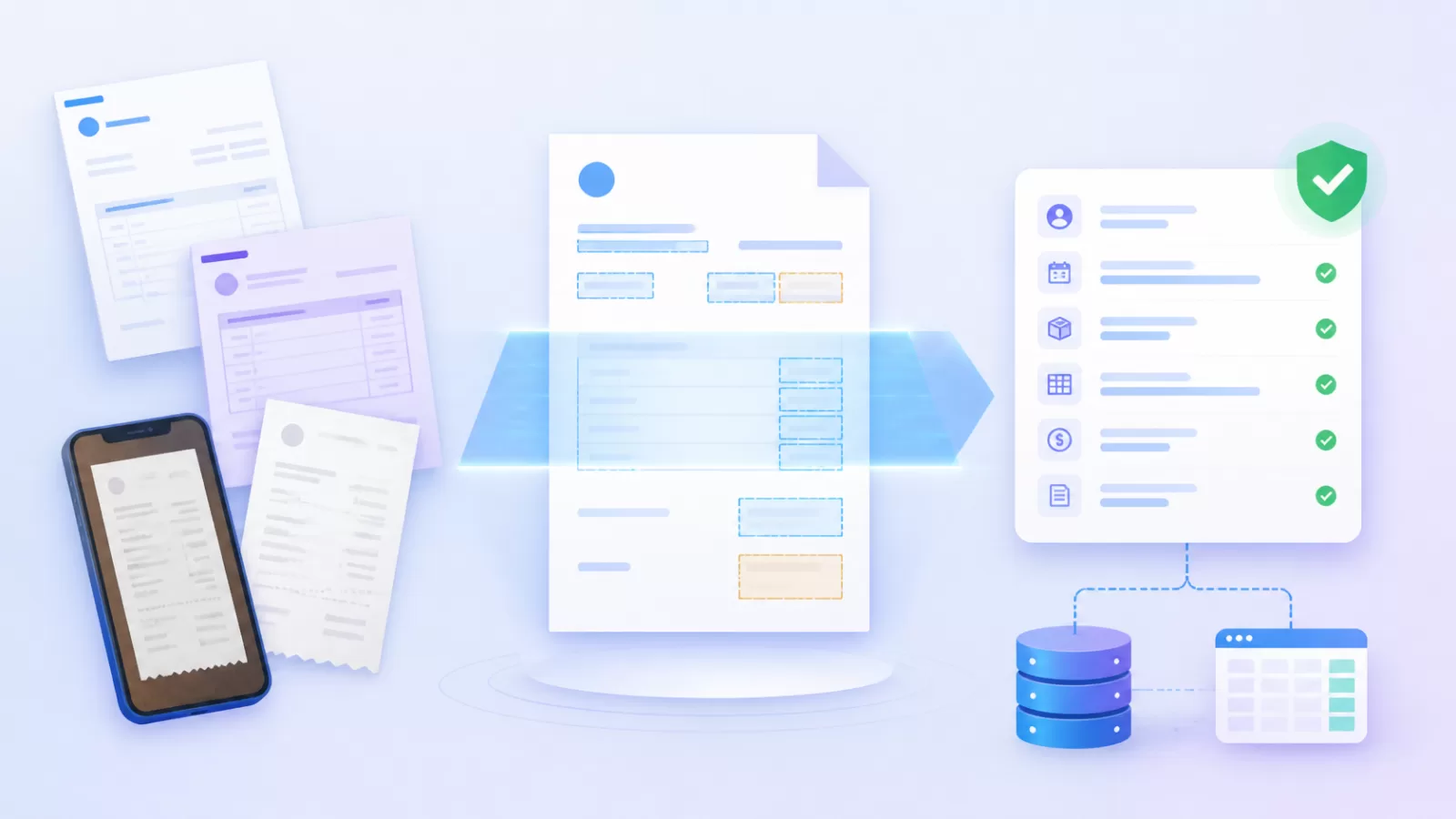
Most finance teams already have OCR somewhere. The scanner turns an invoice into a searchable PDF, and then someone still opens it, reads the GSTIN, types the amount into the accounting system and checks it against the purchase order. Intelligent document processing is the part that takes over that last step.
In short
- Intelligent document processing (IDP) reads a business document, pulls out the fields you need, checks them and passes clean data to your systems.
- OCR only turns an image into text. IDP knows which text is the invoice number and whether it looks right.
- The real value is in the checks: GSTIN and PAN formats, matches against your vendor list, and documents that agree with each other.
- Start with one high-volume document, usually vendor invoices, and measure how many go through without anyone touching them.
What is intelligent document processing?
Intelligent document processing is software that reads business documents such as invoices, purchase orders and onboarding forms, extracts the information you need, checks that it is correct and sends it on to your other systems. It replaces typing data from documents and checking it by hand.
Under the hood it combines steps that used to need separate tools. It cleans up the page, reads it, works out the layout, finds specific fields, validates them against rules and routes anything doubtful to a person. The result is not a file. It is data you can post, pay or approve.
How is IDP different from OCR?
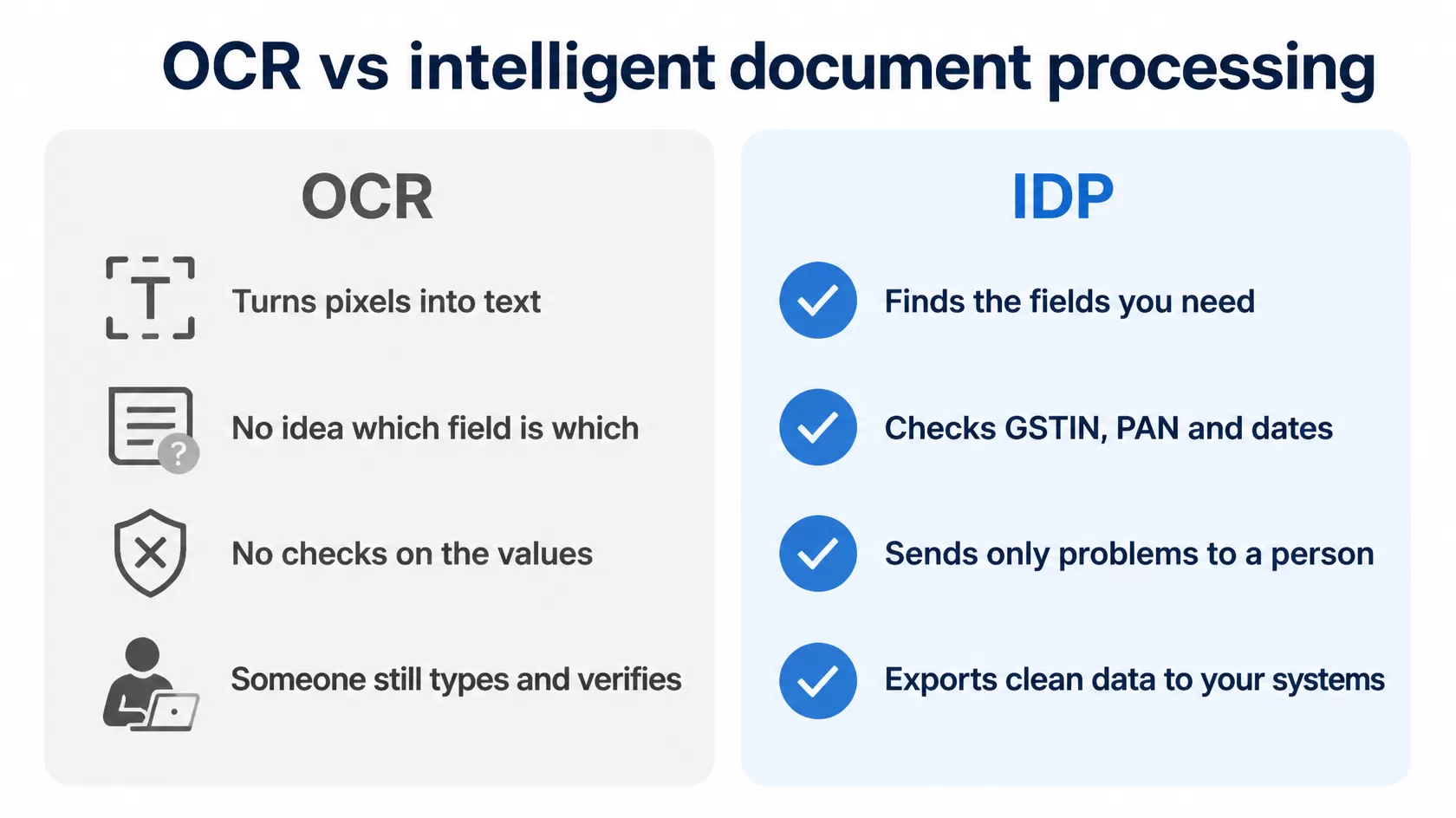
OCR is still inside every IDP system. It is simply the first step, and on its own it stops at text.
| OCR | Intelligent document processing | |
|---|---|---|
| What you get | Text, often as a searchable PDF | Named fields such as GSTIN, invoice number, date and total |
| Understands layout | No | Yes, including different supplier formats |
| Checks the values | No | Format, master data and cross-document checks |
| Who reviews | Someone checks every document | Only documents that fail a check reach a person |
| End result | A file to read | Data ready to import, post or approve |
How IDP works, step by step
Every IDP system runs some version of the same five steps. What separates a good one from a demo is how well it handles the messy documents in steps three and four.
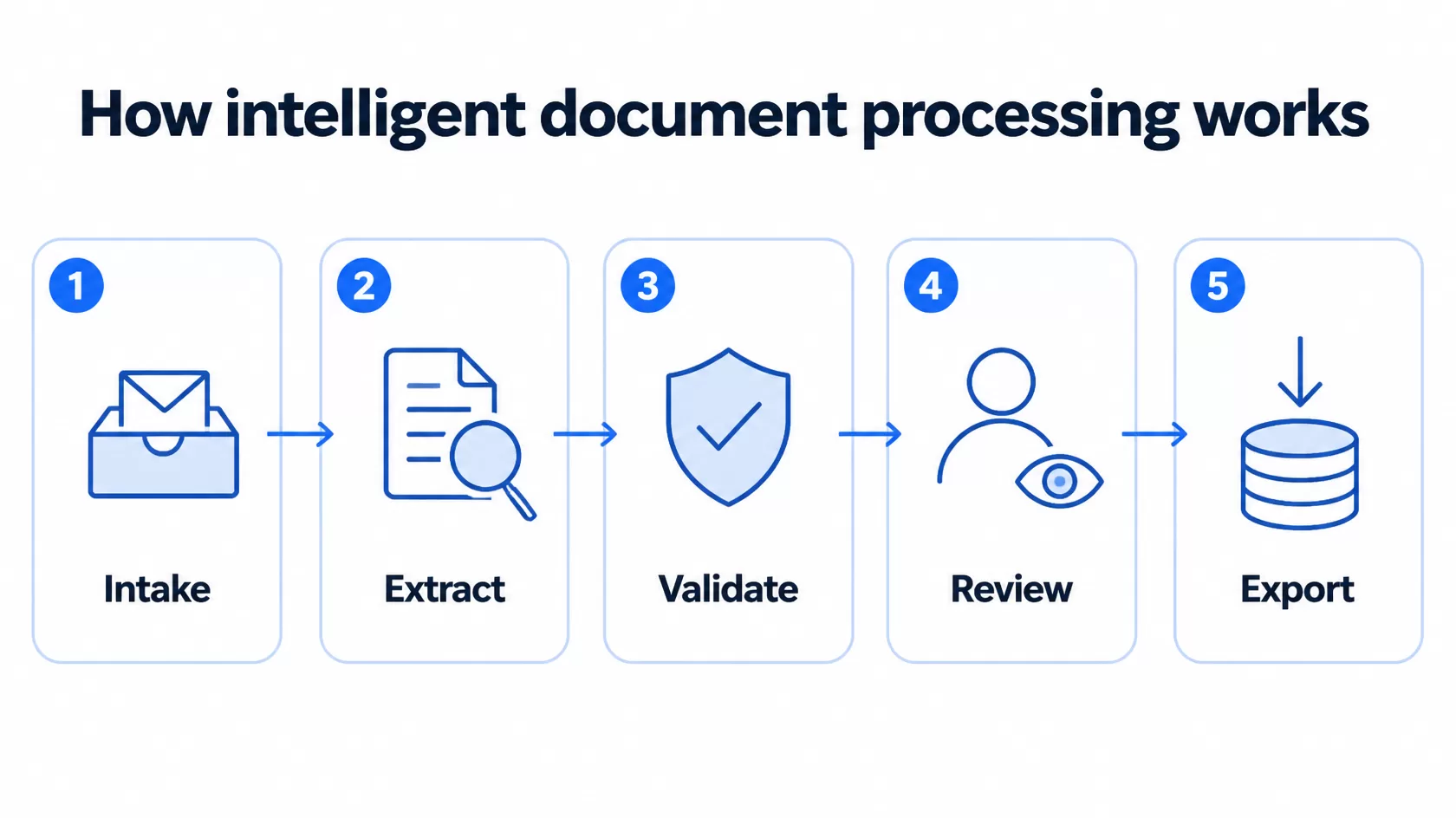
- Intake. Documents arrive from a watched folder, a shared email inbox, a phone scan or an API call. Nobody has to rename or sort them first.
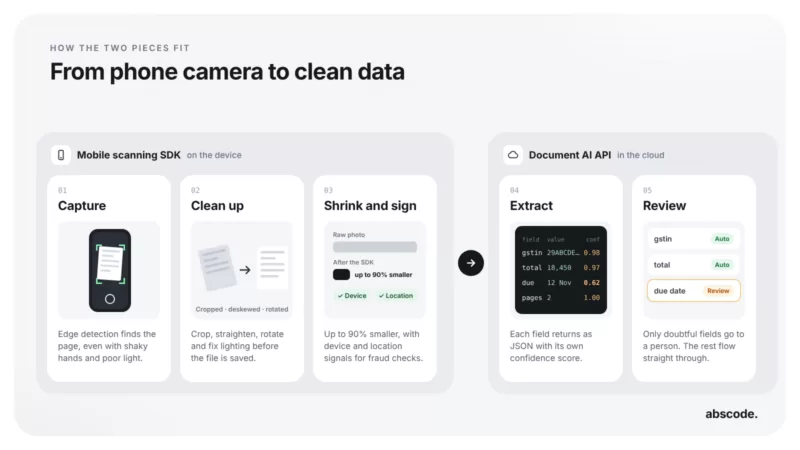
- Extract. The page is straightened, rotated and cleaned, then read. The fields for that document type are pulled out. For a GST invoice that means vendor name, GSTIN, invoice number and date, taxable value, CGST, SGST or IGST, total and PO number.
- Validate. Each field is tested. Is the GSTIN in a valid format? Is this vendor in your vendor list? Is the PO number there? Do the tax amounts add up to the total?
- Review. Documents that pass go straight through. Documents that fail go to your team with the problem shown, so the reviewer fixes one field instead of re-reading the whole invoice.
- Export. Verified data leaves as a file your accounting software can import, or goes into your ERP, DMS or workflow through an API.
Which documents should you automate first?
The best candidates arrive in volume, follow a recognisable pattern and feed a payment or a decision. In most Indian businesses the list looks like this:
- Vendor and GST invoices, whether they come as PDFs, scans or phone photos
- Vendor onboarding packs: GST certificate, PAN, cancelled cheque and Udyam certificate
- Employee joining documents
- Purchase orders, delivery challans and proof of delivery
- Bank statements and payslips used in credit checks
Free-form letters and one-off contracts are harder to automate and are rarely where the hours go. Leave them for later.
The checks that matter for Indian documents
Extraction gets the attention in demos, but validation is where IDP earns its place. A model can read a field confidently and still be wrong. Checks catch that before the value reaches your books.
- GSTIN format. A GSTIN has 15 characters: a two-digit state code, the 10-character PAN, an entity number, the letter Z by default and a check digit. One misread character breaks the pattern, so a format and checksum test catches most reading errors.
- Your own GSTIN. Check that the invoice carries your correct GSTIN as the buyer. If a supplier bills the wrong one, the credit will not appear against you in GSTR-2B.
- PAN, IFSC and dates. Fixed formats make these easy to test. An invoice dated next month or an IFSC that does not exist is a reason to stop.
- Master data. The vendor should exist in your vendor list, and the bank account should match the one you verified at onboarding.
- Arithmetic. Taxable value plus tax should equal the invoice total.
- Documents that agree. The invoice, the purchase order and the delivery challan should describe the same order.
Checks beat accuracy claims. Ask any vendor how the system behaves when it is unsure, not just how accurate it is. A good IDP setup tells you which field it doubts and why, so a person can decide in seconds.
Keep a person in the loop, on purpose
Good IDP is not about removing people. It is about giving them only the documents that need judgement. Each extracted field carries a confidence score, and you decide the threshold below which a person looks at it. The reviewer sees the value next to the part of the page it came from, corrects it if needed and moves on.
Every correction is recorded. That gives your auditors a clear trail, and the pattern of corrections tells you which supplier format or which rule needs attention.
How to tell whether IDP is working
Measure four things, and measure them for two weeks before you switch anything on so you have a baseline.
- Straight-through rate: the share of documents that pass every check with no human touch.
- Exceptions by reason: which checks fail most often, and for which suppliers.
- Time to post: hours from the invoice arriving to it being ready for payment.
- Field corrections: how often reviewers change an extracted value.
These numbers come from your own documents, which makes them far more useful than any headline accuracy figure.
IDP, a DMS or an API: which do you need?
These solve different problems, and they often work together.
| Best for | Typical user | |
|---|---|---|
| IDP | Turning documents into checked data, such as invoices for accounts payable | Finance and operations teams |
| Document management system | Keeping documents as records with approvals, retention and an audit trail | Any team that has to find, approve or prove things later |
| Document AI API | Building extraction into your own app or workflow | Developers and product teams |
A common setup is IDP reading the invoices while a document management system keeps the approved invoice on the vendor’s record. If you are weighing up a DMS, our guide on moving past folders, email and paper covers that side in detail.
A 30-day pilot plan
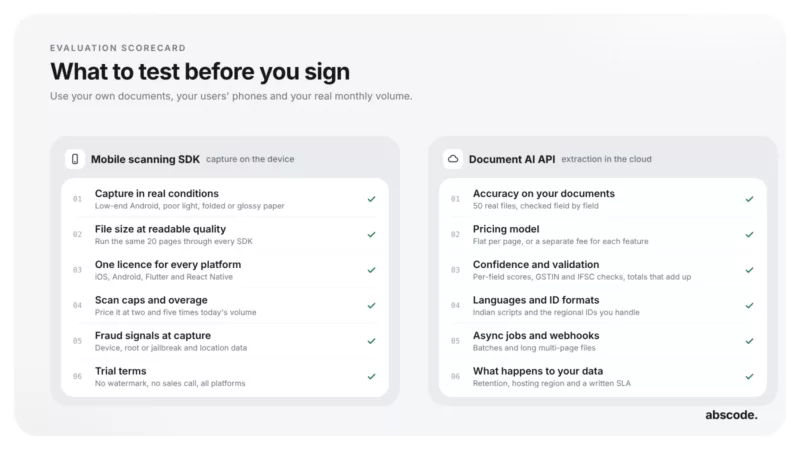
- Week 1: pick one document and one source. Collect 50 to 100 real samples, including the crumpled scans and the phone photos.
- Week 2: agree the fields and the checks. Decide which failures stop a document and which only raise a warning.
- Week 3: run side by side. Let IDP process the same documents your team handles by hand, and compare the results.
- Week 4: switch over the clean ones. Let documents that pass every check go straight through, and keep the review queue for the rest.
Where Abscode fits
Abscode IDP is built for this work. It picks up documents from a watched folder or an email inbox, extracts the fields, validates them with AI analysis and your business rules, sends exceptions to your team with the problem shown, and exports verified data to your systems. The folder and email connectors come with their source code, so your IT team can see exactly what runs.
Today it reads header-level fields such as GSTIN, invoice number, dates, tax amounts and totals. Line items and duplicate invoice checks are next on the roadmap.
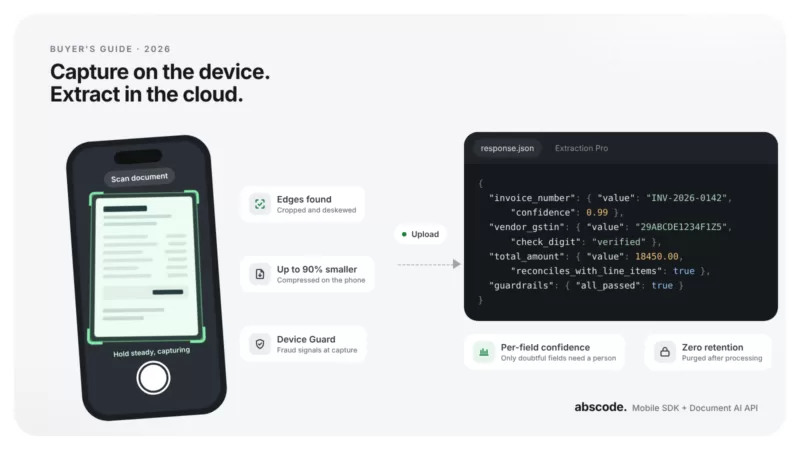
If you are a developer, the Abscode Document AI API returns structured JSON with a confidence score for every field. Documents are purged after processing, pricing is per extracted page, and there is a free trial of 1,000 credits with no card needed.
Common questions
What is the difference between IDP and OCR?
OCR turns an image of a page into text. Intelligent document processing goes further: it finds the specific fields you need, checks them against rules and your own data, and sends clean data to your systems. OCR is one step inside IDP.
Can IDP read GST invoices?
Yes. A good IDP system extracts the vendor name, GSTIN, invoice number and date, taxable value, CGST, SGST or IGST and the total, and checks the GSTIN format before anyone posts or pays the invoice.
Do we still need people to check documents?
Yes, but far less often. Documents that pass every check go straight through, and only the ones that fail reach a reviewer, with the problem field highlighted.
How accurate is intelligent document processing?
It depends on your documents, so test it on your own samples. The more useful number is the straight-through rate: how many documents pass every check without a person. Track it during a pilot alongside the exception reasons.
Is IDP only for large companies?
No. Any business that handles a steady flow of invoices or onboarding documents can benefit. Starting with one document type keeps the setup small and the cost predictable.
What happens to our documents after processing?
That depends on the provider, so ask. The Abscode Document AI API does not retain documents and purges them after processing. For KYC archives that must stay inside your network, Abscode offers OCR and Aadhaar masking as an on-premise deployment.